The Best Well Inspection Cameras for Diagnosing a Failing Well (2026)
A failing well rarely announces itself politely. Water goes cloudy, pressure drops, sand shows up in the toilet tank, or the pump starts pulling air. By the time these the surface, something has already gone wrong 100 to 300 feet below your feet.
This guide is written by a working borehole driller who uses well inspection cameras on service calls to see what has actually failed. You will get the specs that matter, six cameras I would actually pack in a service truck, and the diagnostic playbook for the eight problems these cameras find best. Skip the marketing and buy on the numbers.
This article may contain affiliate links, and we may earn a commission from purchases made through those links. For more information, please refer to our disclosure.
One page printable PDF with the 8 problems to look for on a well inspection, the sequence I use on service calls, and depth notes to fill in as you go.Send Me The Checklist →
Top Picks at a Glance
The sizing math and detailed reviews are below.
| Best For | Camera | Cable | Buy |
|---|---|---|---|
| Best Overall | DEPSTECH 1080P Sewer Camera | 165 ft | Check Price → |
| Best Deep Well | Anysun 300 ft Sewer Camera | 300 ft | Check Price → |
| Best Prosumer | Vividia Long Reach Pipe Camera | 200 to 500 ft | Check Price → |
| Best Budget | BlueFire Pro 100ft Camera | 100 ft | Check Price → |
| Best Small Casing | Teslong Dual Lens Borescope | 33 ft | Check Price → |
| Best Professional | Ridgid CA-350 Micro Explorer | Interchangeable | Check Price → |
What a Well Inspection Camera Actually Is ?
A well inspection camera is a waterproof video camera on the end of a long, coiled cable that gets lowered into your well casing to record what is happening below ground. It runs from a battery powered handheld monitor at the surface, with LED lights on the camera head so you can see in total darkness. You watch the video live and record clips or snapshots for your driller or well contractor.
These are not the same as sewer inspection cameras, but the two categories overlap heavily. Most cameras marketed as “sewer” or “pipe” cameras will work fine in a well as long as the cable is long enough and the camera head fits through the casing. Purpose built well cameras exist but cost 5 to 20 times more than the sewer versions.
The camera does not fix your well. It tells you what needs fixing, which is usually a $2,000 question when the alternative is guessing wrong.
The Specs That Matter (Read This Section)
Four numbers determine whether a well inspection camera works for your well. Cable length, camera diameter, waterproof rating, and lighting. Get any of them wrong and the camera is useless for the job.
Cable Length vs Well Depth
The cable must reach the deepest point you need to inspect, with slack to spare. A camera on a rigid pushrod loses some effective reach around bends and past pump obstacles, so budget 20 to 30 percent extra.
Minimum Cable Length = Your Well Depth × 1.25
For a 200 foot residential well, that means at least a 250 foot cable. A 165 foot cable will not reach the bottom of most private wells in the US.
Cable lengths include the 25 percent slack margin. Most residential wells in the US are 100 to 300 feet, so 200 to 400 ft cable covers 80 percent of homes.
Camera Diameter vs Casing Size
The camera head plus its cable must fit through the smallest point in your well. That is usually the pitless adapter fitting at the top of the casing, not the casing itself.
Most US residential wells use 4 inch or 6 inch casing. The pitless adapter narrows the passage to about 3.5 inches on a 4 inch casing, or 5.5 inches on a 6 inch. Any consumer camera with a head under 2 inches will fit either.
For older 3 inch casings, or drop pipes and pump housings you are inspecting from above, you need an endoscope grade camera with a head under 1 inch. That is where a Teslong or similar borescope earns its place.
Waterproof Rating and Depth
The camera goes fully underwater for the entire inspection. IP68 rating is the minimum you should accept. Anything IP67 or lower is designed for splash resistance and will die within 10 minutes underwater.
The pressure rating at depth also matters. Most consumer cameras rate 30 to 100 feet of submersion, which covers a static water level in most wells but leaves no margin. Pay attention to the “meters underwater” spec, not just the IP number.
Lighting and Resolution
Well interiors are pitch black, so the camera has to bring its own light. Look for 8 or more LEDs with adjustable brightness. Too dim and you cannot see damage; too bright and the water backscatter blinds the sensor.
Resolution matters less than most buyers think. 720p is enough to spot cracks and buildup. 1080p is nicer but hits diminishing returns in murky water. 4K is marketing on a well camera.
These are the failure modes I look for when a well is misbehaving. Some are catastrophic, some are creeping. All are hard to diagnose without visual confirmation.
- Casing cracks or holes. Surface water intrusion, contamination, and sand entry all start here. Cracks show as dark linear features, sometimes with sediment weeping from them.
- Well screen damage or clogging. The perforated section at the bottom of the casing is where water enters. Iron bacteria, calcium, or physical failure blocks flow and slowly kills pump output.
- Dropped or broken pump. If the pump has fallen off the drop pipe, the camera finds it lying at the bottom of the well. This is a $1,500 to $4,000 fix.
- Corroded or leaking drop pipe. Steel drop pipe rusts through at joints. The camera shows the leak and its depth so the section can be replaced without pulling the whole system.
- Foreign objects. Dropped tools, animals, broken well caps, tree branches. You would be surprised what falls into a well over 30 years.
- Grout failure and annular space intrusion. Bad grout around the outside of the casing lets surface contamination bypass the seal. Visible as sediment sheeting down the casing wall from above.
- Iron bacteria and biofouling. Reddish brown gelatinous coating on the casing and screen. Kills flow and stinks up the water.
- Dynamic water level and drawdown. Camera lets you see how far the water level drops during pumping. Critical for pump sizing and well yield diagnosis.
A homeowner in central Missouri called me about intermittent brown water and sand in her kitchen faucet aerator. Water quality tests came back clean for bacteria but showed elevated turbidity. Her regular plumber had installed a sediment filter, replaced it three times in two months, and given up.
I dropped a 200 foot camera down the casing. At 78 feet below grade, there was a vertical crack in the steel casing about the length of my thumb. Every rainstorm was pushing surface water into the well through that crack, dragging silt with it.
The fix was a stainless steel casing patch installed at that specific depth. The camera let the repair crew go straight to 78 feet with the right size patch rather than pulling the whole casing.
Total cost of the fix: $1,800. Cost of continuing to guess: her pressure tank bladder was already failing from sediment abrasion, and her pump was next. Cameras pay for themselves on the first real diagnosis.
Pushrod vs Drop Cameras vs Endoscopes: Which to Pick
Three engineering families of well cameras exist, and the choice determines what you can inspect. Pick the wrong family and no amount of cable length will save you.
Pushrod Cameras
Semi rigid cable that you push down from the surface. The cable has enough stiffness to navigate around the pump body and drop pipe, but flexible enough to bend into the well. Most sewer inspection cameras are this type.
Choose pushrod if: your well is 50 to 300 feet deep, you have room to feed the cable from above the wellhead, and you want to steer the camera around obstacles.
Drop Cameras (Reel Style)
Weighted camera on a flexible cable, lowered by gravity from a reel. No pushing required. These handle very deep wells (500 feet plus) where pushrod cable becomes unwieldy.
Choose drop if: your well is over 300 feet deep, or you need to inspect a straight open casing without navigating around a pump.
Endoscope / Borescope Cameras
Very small diameter camera on a thin flexible cable, typically under 3 feet long with a 1 to 3 meter extension. Good for inspecting pump housings, drop pipe interiors, and tight fittings.
Choose endoscope if: you are inspecting pump internals or 3 inch or smaller casings, or you need to see around tight bends.
The 6 Best Well Inspection Cameras for 2026
Here are the six cameras I would actually put in a service truck or homeowner tool kit. Each one earns its spot for a specific use case.
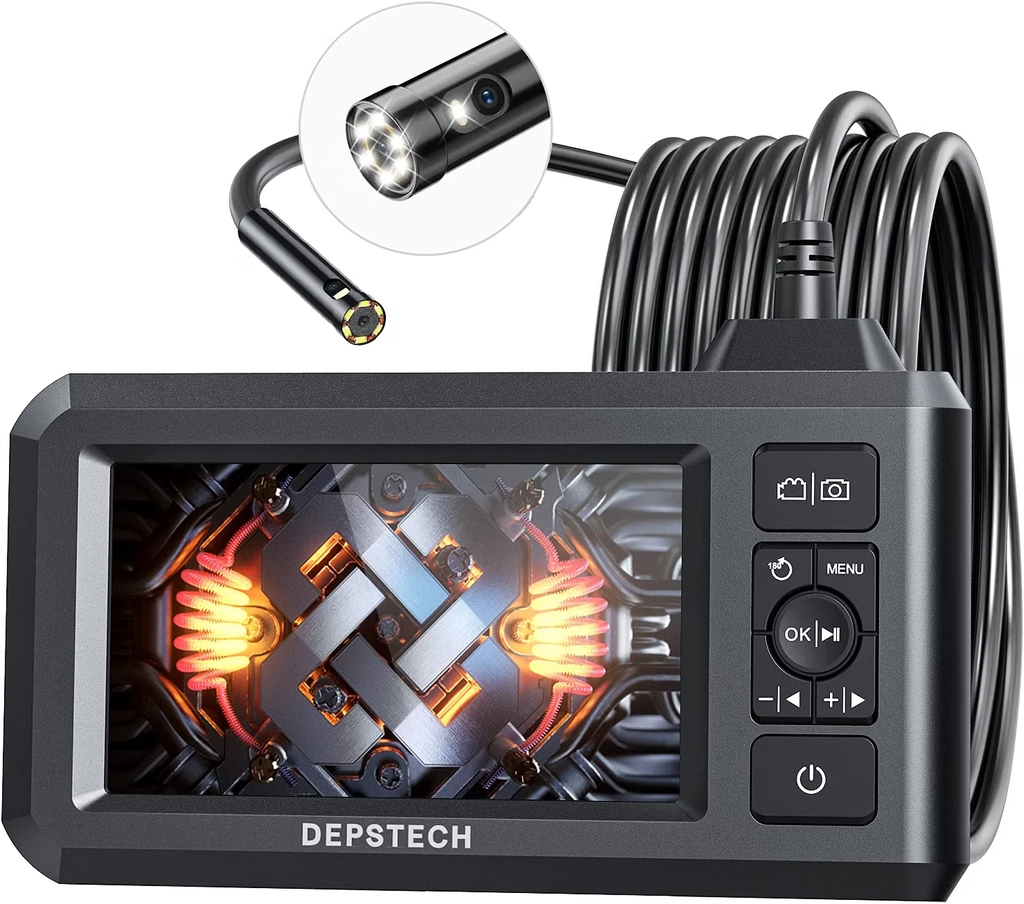
1. DEPSTECH 1080P 165ft Sewer Camera (Best Overall)
| Type: | Pushrod |
| Cable Length: | 165 ft |
| Camera Head: | 23mm diameter |
| Resolution: | 1080P HD |
| Waterproof: | IP68, rated to 30 ft submersion |
| Recording: | SD card, 32GB included |
| Warranty: | 1 year |
DEPSTECH is what I recommend for most residential well owners in the US. The 165 foot cable covers the typical 100 to 130 foot residential well with margin. The 23mm camera head fits any 4 inch or larger casing with room to spare, and the 1080P HD image is crisp enough to spot hairline cracks in casing steel.
The 7 inch monitor rotates for horizontal or vertical use, and the SD card slot lets you save video clips to show your driller. The 8 adjustable LEDs put out enough light for a 4 inch casing without blowing out the camera sensor.
Weakness: the 30 foot submersion rating means it will die if you drop it in a deep static water column. Keep the camera under 25 feet of water at a time.
Buy it if: your well is 60 to 150 feet deep, you want the best all around camera, and you plan to keep it for future inspections.
Check DEPSTECH Camera Price on Amazon →
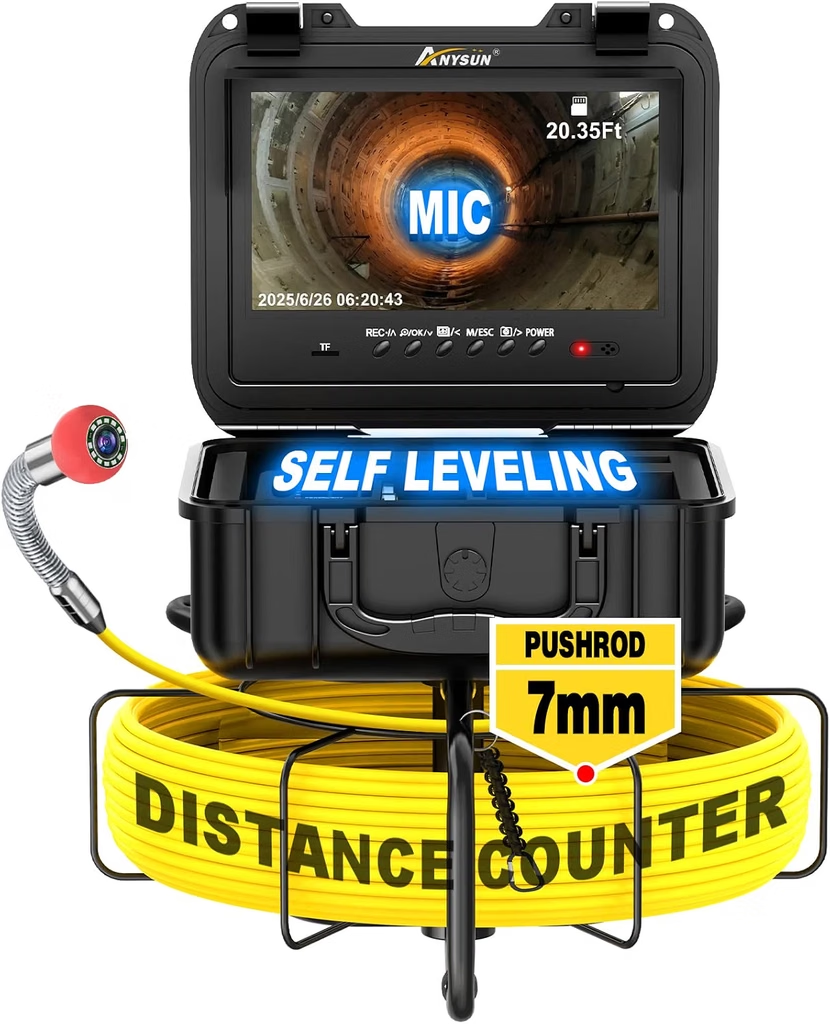
2.Anysun 300ft Sewer Camera (Best Deep Well)
| Type: | Pushrod |
| Cable Length: | 300 ft |
| Camera Head: | 28mm diameter |
| Resolution: | 1080P HD |
| Waterproof: | IP68, rated to 50 ft submersion |
| Depth Counter: | Built in electronic counter |
| Warranty: | 1 year |
Anysun is the pick when your well is deeper than 150 feet. The 300 foot cable handles the vast majority of US residential and small commercial wells, and the electronic depth counter tells you exactly where a problem is so the fix crew goes straight to it.
Build quality is solid at this price point. The reel spins smoothly, the cable holds its shape without kinking, and the monitor is bright enough to read outdoors on a sunny well pad. The 50 foot submersion rating gives you real margin at typical static water levels.
Where it falls short: the 28mm camera head is slightly larger than the DEPSTECH, so it will not fit into a 3 inch casing. Also expect to spend more time cleaning the cable after every inspection.
Buy it if: your well is 150 to 250 feet deep, you want a depth counter, and you have 4 inch or larger casing.
Check Anysun Camera Price on Amazon →
🔧 From The Field
A rancher in the Texas panhandle called at 6 am. His well had produced water reliably for 12 years, and that morning it produced nothing. Pump ran, pressure switch cycled, no water at the faucets.
He assumed the pump was dead. I asked him to hold on replacing it until we ran a camera down first, because a $2,400 pump replacement fixes nothing if the actual problem is elsewhere.
The camera found the pump at 168 feet, sitting on the well bottom. Corrosion at a drop pipe joint at 145 feet had let go, and the whole pump had dropped 23 feet down the casing. The pump itself was fine; the drop pipe was the failure.
Total repair: a fishing job to retrieve the pump, replacement of 145 feet of galvanized drop pipe with stainless, and reinstallation. Nine hundred dollars, not $2,400 plus a fishing job on top.
A camera saved that rancher $1,500 in the first 20 minutes on site.
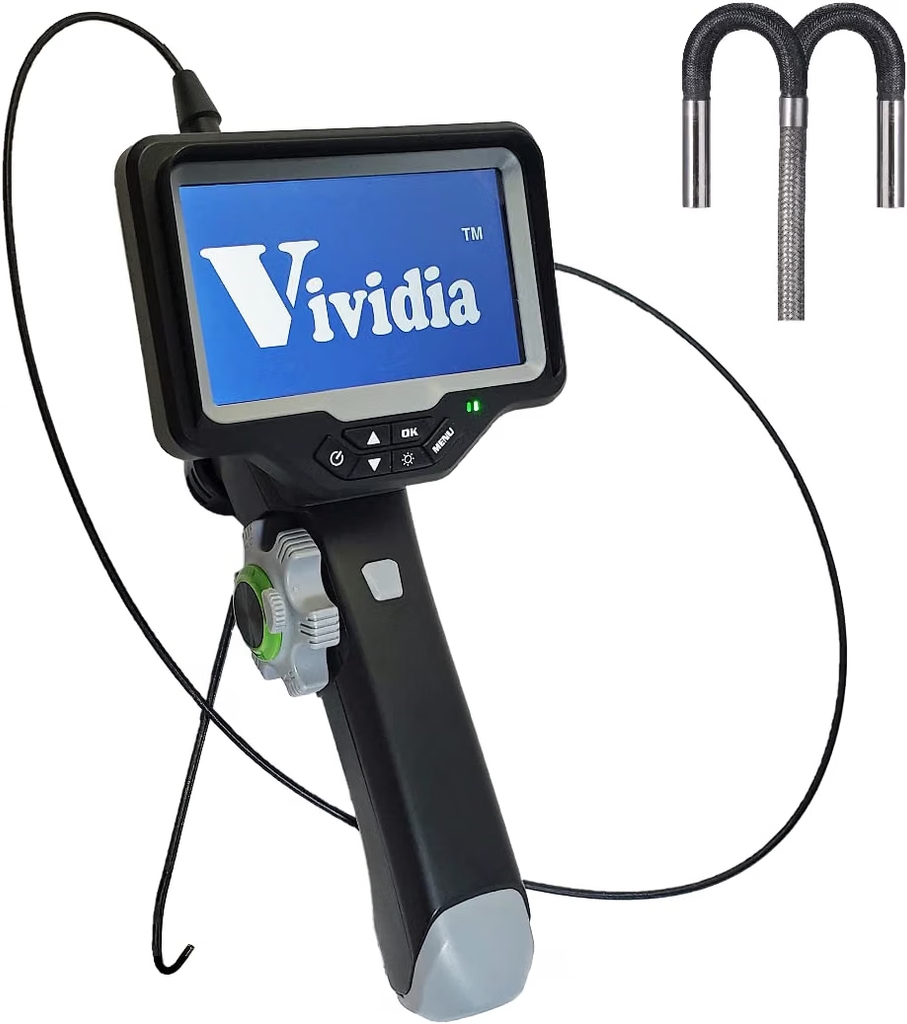
3. Vividia Long Reach Pipe Camera (Best Prosumer)
| Type: | Pushrod or drop (varies by model) |
| Cable Length: | 200 to 500 ft |
| Camera Head: | 18 to 25mm |
| Resolution: | 1080P HD |
| Waterproof: | IP68, rated to 100 ft submersion |
| Warranty: | 2 years |
Vividia sits in the middle ground between consumer sewer cameras and true professional gear. Build quality is closer to industrial, cable armor is thicker, and the 100 foot submersion rating puts it in real well camera territory.
Vividia sells multiple models with different cable lengths and camera diameters. The 500 foot version handles almost any residential or small agricultural well, while smaller 200 foot variants fit tighter budgets. All include a depth counter and better monitor optics.
The catch is price. You will pay two to four times more than DEPSTECH or Anysun, which pays off only if you use the camera frequently. For occasional homeowner use, this is overkill.
Buy it if: you inspect wells more than twice a year, you own multiple properties with wells, or you run a small well service business.
Check Vividia Camera Price on Amazon →
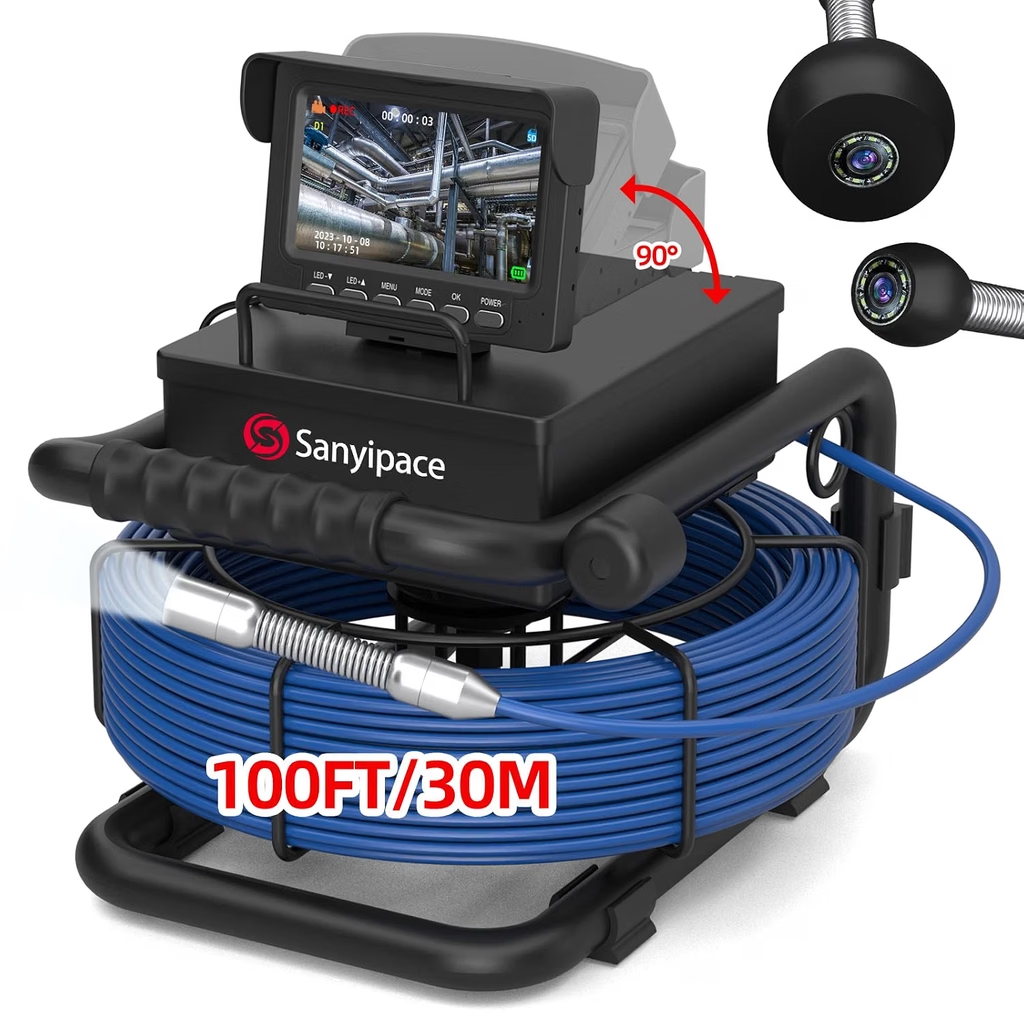
4. BlueFire Pro 100ft Camera (Best Budget)
| Type: | Pushrod |
| Cable Length: | 100 ft |
| Camera Head: | 23mm diameter |
| Resolution: | 1080P HD |
| Waterproof: | IP68, rated to 30 ft submersion |
| Warranty: | 1 year |
BlueFire is the entry level pick for shallow wells and one time diagnostic use. Build quality is honest at the price, and the 100 foot cable handles wells up to about 80 feet actual depth with the safety margin applied.
The 7 inch monitor is smaller and dimmer than the DEPSTECH, and the cable is thinner and less durable over long term use. Neither matters if you are running one or two inspections on a shallow well.
Where BlueFire wins is price. You can pick one up for less than what a single service call from a driller would cost. If your well is under 80 feet and you just need to see what is happening, this is the honest budget answer.
Buy it if: your well is 50 to 80 feet deep, you have a one time diagnostic need, and you do not want to spend more than a service call would cost.
Check BlueFire Camera Price on Amazon →
5. Teslong Dual Lens Borescope (Best Small Casing)
| Type: | Endoscope / borescope |
| Cable Length: | 33 ft (10m) |
| Camera Head: | 8mm diameter |
| Resolution: | 1080P HD, dual lens front and side |
| Waterproof: | IP67 rated (limited submersion) |
| Warranty: | 1 year |
The Teslong dual lens borescope is not a “well camera” in the classic sense. It is a small diameter endoscope for tight spaces, and that is exactly why it belongs in this guide.
When you pull a pump and want to inspect the inside of the drop pipe, look inside a 2 inch monitoring well, or check the interior of pump housings before reinstallation, an 8mm camera head with side view is exactly the tool. Nothing bigger will fit.
Do not try to use this as your primary well camera. The 33 foot cable is too short for real well inspection, and the IP67 rating means it should not be submerged in standing water for extended periods.
Buy it if: you want a secondary tool for inspecting pump housings, small diameter piping, or monitoring wells.
Check Teslong Borescope Price on Amazon →
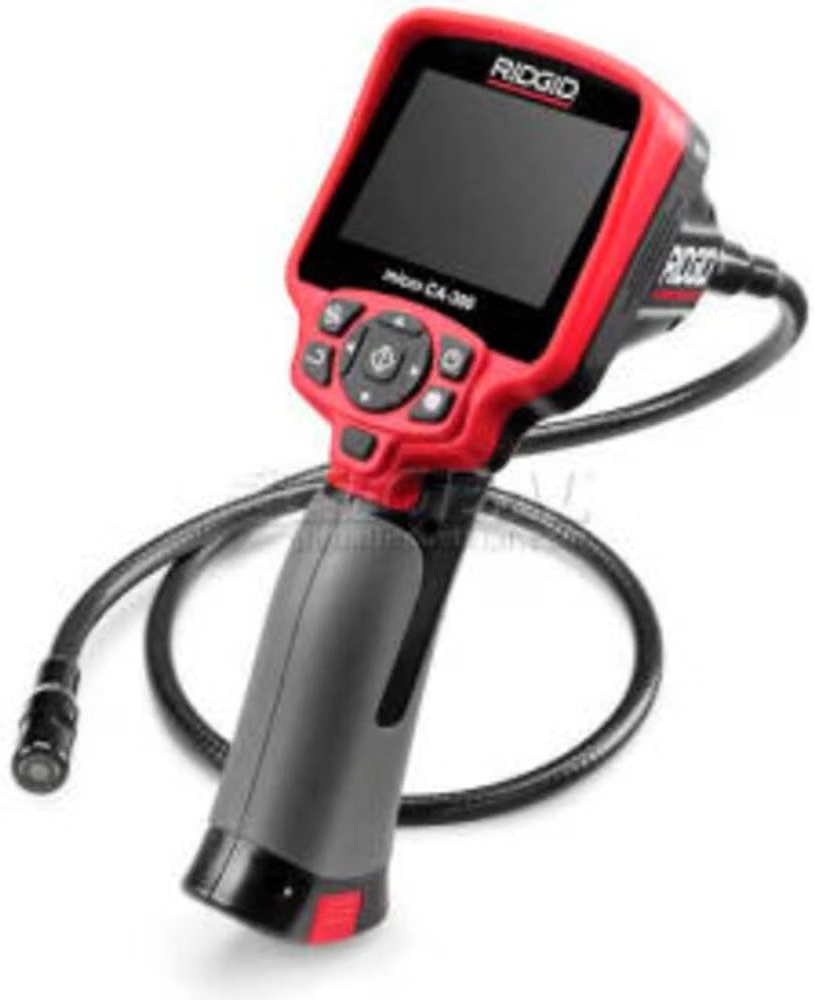
6. Ridgid CA-350 Micro Explorer (Best Professional)
| Type: | Pushrod (with interchangeable heads) |
| Cable Length: | Interchangeable, 4 to 30 ft standard, extensions to 100 ft |
| Camera Head: | 17mm standard, smaller heads available |
| Resolution: | HD video |
| Waterproof: | IP67 camera head |
| Warranty: | Ridgid Lifetime Service Agreement (registered) |
Ridgid makes tools designed to be used every day for years by professionals who cannot afford downtime. The CA-350 Micro Explorer is not the longest reach camera on this list, but it is by far the most rugged and best supported.
The main camera unit accepts a wide range of interchangeable camera heads and extension cables from the broader Ridgid SeeSnake ecosystem. If you also do pipe or sewer inspection work, one hand held monitor works with multiple camera reels.
The catch is price. Expect to spend three to five times what a consumer camera costs. This is a tool for pros, not for one time homeowner use.
Buy it if: you run a well or plumbing service business, you already own SeeSnake gear, or you want a tool with real long term parts support.
Check Ridgid CA-350 Price on Amazon →
What I Would Never Buy
Several categories of “well inspection camera” get heavy promotion in this niche but do not earn a spot in a real diagnostic kit.
- Cameras rated IP67 for well use. IP67 means splash and rain resistant, not submersible for hours at a time. It will fail on the first serious inspection.
- Any camera with a cable under 100 feet marketed as a “well camera.” Most US wells are deeper than 100 feet. If a manufacturer is willing to market a short cable as a well camera, they are not the driller’s advocate.
- WiFi only cameras with no direct monitor. Sun glare on a phone screen at a well pad makes these unusable. You want a real 7 inch or larger monitor.
- Cameras without built in LED lighting. “Uses ambient light” means the sensor sees nothing below 10 feet.
- Consumer endoscopes marketed as well cameras. The 3mm to 5mm camera heads are wonderful for engines and electronics; they cannot survive well conditions.
How to Actually Inspect a Well
Owning the camera is only step one. Running a good inspection takes a repeatable procedure so you do not miss things.
- Shut off power to the pump at the breaker. The camera cable can wrap around a running pump and destroy both.
- Note the static water level in the well before pumping stops. The camera confirms it.
- Have your well log handy so you know the total depth, casing size, and pump depth.
- Lay out a tarp or clean surface for the cable to feed from. Dirt and sand on the cable will scratch the camera lens.
- Feed the camera 5 feet at a time. Slow enough to see the casing wall clearly, fast enough to stay ahead of your patience.
- Note anything unusual at each depth. Cracks, buildup color, sediment, pipe joints, anything.
- Pause at the water level. Watch for surface debris floating on the water, and confirm the static level.
- Inspect the entire submerged section slowly. This is where 80 percent of problems live.
- Watch for the pump. When you reach the pump depth, look at the drop pipe fittings, the pump housing, and any wiring visible.
- Continue below the pump if possible. Look at the well screen, sump area, and bottom for buildup, foreign objects, or damage.
- Record video of anything unusual. Show it to your driller before you order parts.
💬 Not Sure What You Are Seeing?
Send me a video clip and the depth notes. I will tell you what is normal and what needs a service call.Contact Me →
A family in northern Michigan was in escrow on a 12 acre property with an existing well. The seller’s disclosure said “well tested and working,” and the standard water quality panel came back clean.
The buyer’s agent asked me to do a video inspection before closing. I dropped a camera down and found extensive iron bacteria across the entire submerged casing, a partially collapsed well screen at 210 feet, and roughly two feet of sediment on the bottom of the well.
The well was “working” only in the technical sense that water came out when the pump ran. Actual well yield was probably 40 percent of what the original driller had rated it at, and the screen was on the verge of catastrophic failure.
The buyer negotiated $12,000 off the purchase price to cover well rehabilitation. That inspection took two hours and one $300 camera.
If you are buying rural property with an existing well, get a video inspection before closing. Water tests do not show you what the inside of the well looks like.
Quick Recommendation Table
If you do not feel like reading the full reviews, find your situation here.
| Your Situation | Buy This Camera |
|---|---|
| Typical residential well, 100 to 150 ft deep | DEPSTECH 165ft 1080P |
| Deep residential well, 150 to 250 ft | Anysun 300ft with depth counter |
| Very deep or agricultural well, 250 to 500 ft | Vividia 500ft prosumer |
| Shallow well or one time use, under 80 ft | BlueFire Pro 100ft |
| Pump housing or small casing inspection | Teslong dual lens borescope |
| Professional service business | Ridgid CA-350 Micro Explorer |
Frequently Asked Questions
Do I need a well inspection camera before calling a driller?
No, but it saves you money if you already have one. A driller can bring a camera on a service call, but they usually charge $200 to $400 for the inspection alone. Owning a $300 camera pays back on the first use.
Can a sewer inspection camera work for well inspection?
Yes, if the cable is long enough and the waterproof rating is IP68 with real depth rating. Most consumer sewer cameras and well cameras are the same hardware with different marketing. The specs matter more than the label.
How deep can a pushrod camera actually reach?
The rated cable length is the theoretical maximum. In practice you lose 15 to 30 percent of that reach navigating around the pump, drop pipe, and any wellhead fittings. A 300 ft camera reliably inspects wells to about 220 to 250 ft.
What is a safe amount of time to leave the camera underwater?
For IP68 rated consumer cameras, keep total submersion time under 30 minutes per inspection. Longer submersion or repeated inspections without drying between uses shortens camera life significantly.
Can I inspect around and below the pump?
Sometimes. A pushrod camera can usually navigate past the pump housing if there is 0.5 to 1 inch of clearance in the casing. For very tight annular space, you may need to pull the pump first to inspect the screen and sump.
Will a camera see broken drop pipe joints?
Yes, and this is one of the highest value uses. Corroded or cracked drop pipe joints are visible as rust plumes, water disturbance, or actual gaps in the pipe. Locating the failure depth before pulling the pump saves labor time.
Does the camera help with iron bacteria or biofouling?
Absolutely. Iron bacteria colonies show as reddish brown gelatinous coating on the casing and screen. Confirming the extent of biofouling before ordering a shock chlorination or acid treatment tells you which product and how much.
Should I get a camera with a depth counter?
Yes, if your well is over 100 ft or you plan to use the camera more than once. Depth counters let you tell a driller “the crack is at 78 feet” rather than “somewhere in the middle.” That precision cuts repair time.
Can I use the camera to check pressure tank issues too?
The camera itself is not the right tool for pressure tank diagnosis, but the two failures often occur together. For pressure tank problems, see our pressure tank guide and the air volume control troubleshooting article.
📬 Get My Free Well Diagnosis Checklist
One page printable PDF with the 8 problems to look for, the inspection sequence I use, and depth notes to fill in as you go. Plus one email a month with new guides and field stories from real installs.
About the Author. Victor Ateya is Project Manager at Bonvic Drilling Co. Ltd, a borehole and water infrastructure company. He has spent over a decade running video inspections on failing wells, diagnosing what other techs miss, and specifying the fixes that actually hold.